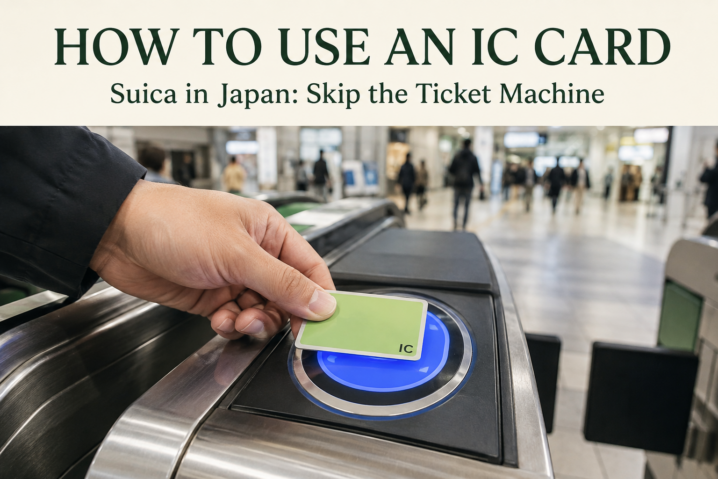
Getting around Japan is much easier with an IC card (Suica, PASMO, and similar cards) than buying a paper ticket every time. Instead of looking up the fare and buying a ticket for each trip, you just tap in and tap out at the gate or fare box. Here’s how to get one and use it, using Suica — the most common IC card — as an example.
Getting an IC Card: 3 Options
Add “Welcome Suica Mobile” to your iPhone (the easiest option). If you have an iPhone with iOS 17.2 or later, the dedicated “Welcome Suica Mobile” app lets you issue a Suica straight into Apple Wallet. You don’t need a Japanese Apple ID or a Japanese SIM card, and you can charge it directly from a registered credit card — no need to line up at an airport or station counter. It’s valid for 180 days.
Add a regular Suica to Apple Wallet. If you have an iPhone 8 or later with a compatible iOS version, you can also add a Suica through the Wallet app itself (Wallet > add a transit card > Suica). Charge it with a card registered to Apple Pay, and turn on Express Mode so you can tap through gates without unlocking your phone.
Buy a physical card (Welcome Suica). If you’re using an Android phone that isn’t Osaifu-Keitai compatible, or you’d simply rather pay with cash, a physical card is the way to go. You can buy one at the JR East Travel Service Centers at Narita and Haneda airport stations, or at Tokyo, Shinagawa, Shibuya, Shinjuku, Ikebukuro, and Ueno stations. The physical Welcome Suica is valid for 28 days and can only be charged with cash.
Android note: Google Wallet only supports Suica on Osaifu-Keitai-compatible devices (mostly Japan-market phones). Most overseas Android phones aren’t supported, so if you’re not sure, go with a physical card.
How to Add Money (Charging)
- Physical card: charge with cash at station ticket machines or 7-Bank ATMs (up to ¥20,000)
- Phone (Apple Wallet / Welcome Suica Mobile): charge in-app from a registered credit card
- As a rough guide, ¥2,000–3,000 per person is plenty to start with for a few days of sightseeing in Tokyo
How to Use It
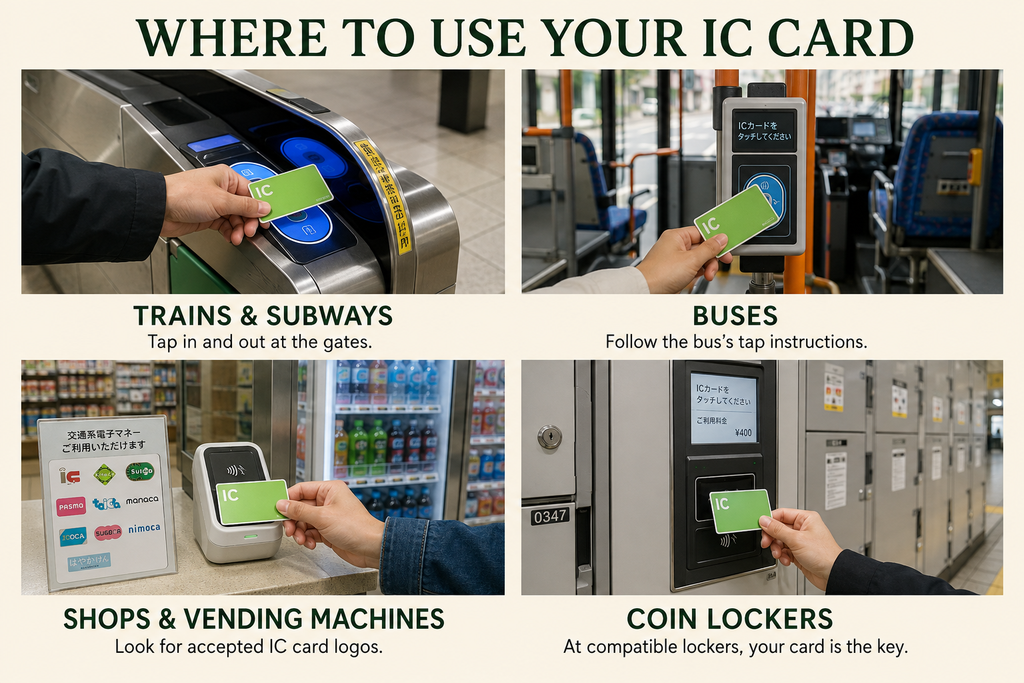
- Trains & subways: tap the card reader at the ticket gate (if your balance is too low, use the fare adjustment machine near the gate to top up before you go through)
- Buses: tap when you board and again when you get off
- Convenience stores & vending machines: tap at the register or machine wherever you see the IC card mark
- Coin lockers: at some stations, your Suica doubles as the key to a coin locker
Important Things to Know
- It doesn’t work automatically on the Shinkansen: unlike local trains and subways, the Shinkansen doesn’t simply deduct your fare from your Suica balance — you generally need to book and buy a ticket separately.
- One card per person: even if you’re traveling as a group, you can’t share a single card between people — everyone needs their own.
- Physical cards can’t be refunded or reissued: if you lose a physical card, whatever balance was on it is gone for good.
- Watch the expiration date: the physical Welcome Suica expires after 28 days, and the mobile version after 180 days. If you’re staying longer, consider switching to a regular Suica, which doesn’t expire.
Common Misunderstandings
- Assuming every IC card works on every train or bus line: Suica, PASMO, and the other regional cards are almost all interchangeable nationwide, but a few local regional lines still don’t accept them.
- Assuming you can get a refund on any leftover balance: Welcome Suica in particular — physical or mobile — does not offer refunds on unused balance.
- Assuming you can walk onto the Shinkansen with just an IC card: out of habit from local trains, some travelers try to tap through a Shinkansen gate and get stopped.
What Should You Do in These Situations?
Q. My card was rejected at the gate — what do I do?
A. In most cases this just means your balance is too low. Use the fare adjustment machine near the gate to add money, then tap again.
Q. I don’t have an iPhone — should I get a physical card or use Apple Wallet?
A. If you’d rather not deal with topping up cash regularly, a physical card is simplest, or Apple Wallet if you want to travel light. If you’re on Android, a physical card is generally the safer choice.
Scope: General usage of Suica and other nationwide-compatible IC cards. Last verified: 2026/09/08