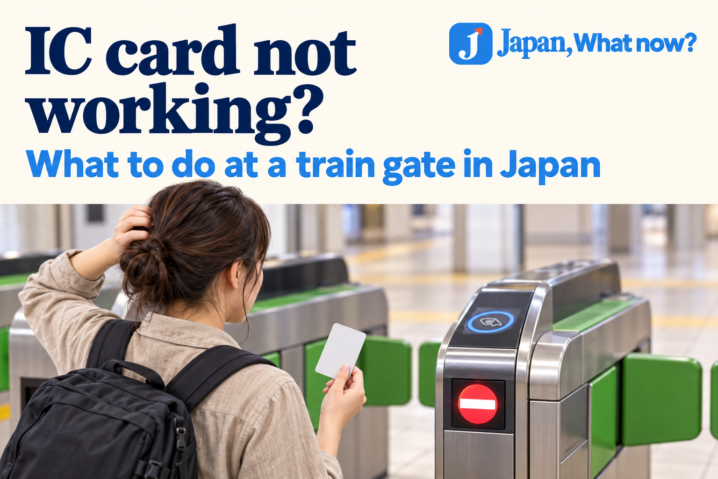
You tap your card, hear a beep, and the gate stays closed. People are waiting behind you. What now?
Pause, check the gate’s message, and ask station staff if you cannot identify the problem. A closed gate does not automatically mean your card is broken. Low balance, an unsuccessful read or a journey-record issue can all be involved. JR East: Why an IC card may not work at a gate
First, check the message
Look at the gate’s display and listen for instructions. If you can do so safely, step out of the lane to give yourself room to check what happened. Do not force the flaps open or follow another passenger through.
If you cannot understand the message, head to the staffed gate. At some stations, an intercom connects you with staff instead. You do not need to diagnose the error before asking for help. JR East: Gate troubleshooting
Does the card need more money?
An insufficient balance can prevent you from completing your journey through the gate. JR East says you need to top up if your Suica balance is not enough for the fare. JR East: Suica
Look for a compatible top-up or fare-adjustment machine. If you are already inside the paid area and cannot exit, ask staff which machine to use rather than trying to leave to find one.
For PASMO, the official visitor guide explains that insufficient funds at the exit can be handled by adding money at a fare-adjustment machine. Follow the machine’s instructions and check the payment methods it accepts. PASMO: Using your card
What if the reader does not respond?
If you use a physical card, take it out of your wallet or pass holder and present that card on its own. A thick holder or interference from other cards can affect the read. If it still does not respond, ask staff. JR East: Card-reading problems
Do not switch randomly between different cards while troubleshooting. Keep the card or phone you were using ready to show staff, along with any ticket relevant to the journey.
I have enough balance. Why am I still stuck?
The card’s entry and exit records may need checking. An incomplete previous journey or missing entry record is a different problem from a low balance; adding more money alone may not solve it. Station staff can examine the card and explain the next step. JR East: Entry and exit record errors
To make the conversation easier, be ready to explain:
- Where you boarded.
- Whether you changed trains or railway companies.
- Which card, phone or ticket you used.
- Whether anything unusual happened at an earlier gate.
If you do not remember a station name, show the route you followed on your map app. Tell staff what you know rather than guessing.
Can I use my IC card for every train journey?
No. A card accepted in several regions does not necessarily cover a continuous journey between those regions. JR East states that Suica cannot be used for travel across separate IC-card areas; it gives Tokyo to Sendai as an example. JR East: Where Suica can be used
If you are making an unfamiliar long-distance journey, check the railway’s ticket requirements before boarding. Do not assume that money on the card replaces every ticket or reservation you may need.
What should I do after staff check it?
Follow their instructions about topping up, paying any fare due or returning to the gate. Ask which gate to use if your journey involves a transfer or a separate ticket.
For your next trip, keep the card easy to reach and allow a little time for unfamiliar stations. A gate error is a practical problem to sort out—not a reason to rush through.